Limit Login Attempt may lock you out too, if you entered the wrong password a few times. In this article, we will show you how to unblock limit login attempts plugin in WordPress.
Delete via FTP or File Manager
The easiest solution for beginners is to delete Limit Login Attempts plugin using FTP and then re-install it later once you can login.
You need to login to your site via FTP and then go to /wp-content/plugins/.
=> Once you’re there, you can simply delete the limit-login-attempts plugin folder.
You can also do this using your web host’s cPanel File Manager.
=> Simply browse to /wp-content/plugins/ and delete the limit-login-attempts folder.
Limit WordPress Login MySQL Query via phpMyAdmin
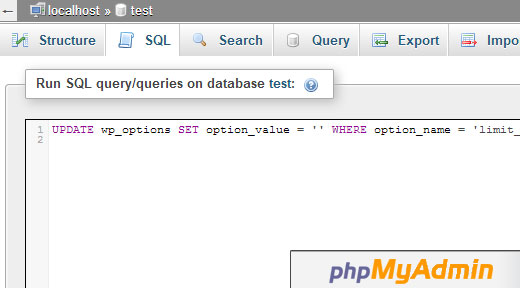
For advanced users who are familiar with MySQL and phpMyAdmin, you can easily run the following SQL query, and it will clear all lockouts.
UPDATE wp_options SET option_value = '' WHERE option_name = 'limit_login_lockouts' LIMIT 1;
If you want to unblock your specific IP e.g. 111.222.111.222, then run a query like this:
UPDATE wp_options SET option_value = REPLACE(option_value, '111.222.111.222', '') WHERE option_name = 'limit_login_lockouts' LIMIT 1;
Make sure to update your IP address and also the database table prefix if you changed your database prefix.
We hope this article helped you unblock limit login attempts in WordPress.
You Might Also Like: How to Limit Access by IP in WordPress