Tutorials on Working with Security in CakePHP

Working with Security in CakePHP

Security is the most important feature while building web applications. It assures the users of the website that their data is secured. CakePHP provides some tools to secure your application.

Encryption and Decryption

Security library in CakePHP provides methods by which we can encrypt and decrypt data. Following are the two methods which are used for the same purpose.

static Cake\Utility\Security::encrypt($text, $key, $hmacSalt = null)
static Cake\Utility\Security::decrypt($cipher, $key, $hmacSalt = null)

The encrypt method will take text and key as the argument to encrypt data and the return value will be the encrypted value with HMAC checksum.

To hash a data hash() method is used. Following is the syntax of the hash() method.

Syntax

static Cake\Utility\Security::hash($string, $type = NULL, $salt = false)

CSRF

CSRF stands for Cross Site Request Forgery. By enabling the CSRF Component, you get protection against attacks. CSRF is a common vulnerability in web applications. It allows an attacker to capture and replay a previous request, and sometimes submit data requests using image tags or resources on other domains. The CSRF can be enabled by simply adding the CsrfComponent to your components array as shown below.

public function initialize(){
   parent::initialize();
   $this->loadComponent('Csrf');
}

The CsrfComponent integrates seamlessly with FormHelper. Each time you create a form with FormHelper, it will insert a hidden field containing the CSRF token.

While this is not recommended, you may want to disable the CsrfComponent on certain requests. You can do so by using the controller’s event dispatcher, during the beforeFilter() method.

public function beforeFilter(Event $event){
   $this->eventManager()->off($this->Csrf);
}

Security Component

Security Component applies tighter security to your application. It provides methods for various tasks like −

  • Restricting which HTTP methods your application accepts − You should always verify the HTTP method being used before executing side-effects. You should check the HTTP method or use Cake\Network\Request::allowMethod() to ensure the correct HTTP method is used.
  • Form tampering protection − By default, the SecurityComponent prevents users from tampering with forms in specific ways. The SecurityComponent will prevent the following things −
    • Unknown fields cannot be added to the form.
    • Fields cannot be removed from the form.
    • Values in hidden inputs cannot be modified.
  • Requiring that SSL be used − all actions to require a SSL-secured.
  • Limiting cross controller communication − We can restrict which controller can send request to this controller. We can also restrict which actions can send request to this controller’s action.

Example

Make changes in the config/routes.php file as shown in the following program.

config/routes.php

<?php
   use Cake\Core\Plugin;
   use Cake\Routing\RouteBuilder;
   use Cake\Routing\Router;

   Router::defaultRouteClass('DashedRoute');
   Router::scope('/', function (RouteBuilder $routes) {
      $routes->connect('login',['controller'=>'Logins','action'=>'index']);
      $routes->fallbacks('DashedRoute'); 
   });
   Plugin::routes();

Create a LoginsController.php file at src/Controller/LoginsController.php. Copy the following code in the controller file.

src/Controller/LoginsController.php

<?php
   namespace App\Controller;
   use App\Controller\AppController;

   class LoginsController extends AppController{
      public function initialize(){
         parent::initialize();
         $this->loadComponent('Security');
      }
      public function index(){
      }
   }
?>

Create a directory Logins at src/Template and under that directory create a View file called index.ctp. Copy the following code in that file.

src/Template/Logins/index.ctp

<?php
   echo $this->Form->create("Logins",array('url'=>'/login'));
   echo $this->Form->input('username');
   echo $this->Form->input('password');
   echo $this->Form->button('Submit');
   echo $this->Form->end();
?>

Execute the above example by visiting the following URL −http://localhost:85/CakePHP/login

Read the Full CakePHP security details from official CakePHP website
How to Services in CakePHP

Services in CakePHP

Authentication

Components are the service layer in CakePHP, Authentication is the process of identifying the correct user. CakePHP supports three types of authentication.

  • FormAuthenticate − It allows you to authenticate users based on form POST data. Usually this is a login form that users enter information into. This is default authentication method.
  • BasicAuthenticate − It allows you to authenticate users using Basic HTTP authentication.
  • DigestAuthenticate − It allows you to authenticate users using Digest HTTP authentication.

Example for FormAuthentication

Make changes in the config/routes.php file as shown in the following code.

config/routes.php

<?php
   use Cake\Core\Plugin;
   use Cake\Routing\RouteBuilder;
   use Cake\Routing\Router;

   Router::defaultRouteClass('DashedRoute');
   Router::scope('/', function (RouteBuilder $routes) {
      $routes->connect('/auth',['controller'=>'Authexs','action'=>'index']);
      $routes->connect('/login',['controller'=>'Authexs','action'=>'login']);
      $routes->connect('/logout',['controller'=>'Authexs','action'=>'logout']);
      $routes->fallbacks('DashedRoute');
   });
   Plugin::routes();

Change the code of AppController.php file as shown in the following program.

src/Controller/AppController.php

<?php
   namespace App\Controller;
   use Cake\Controller\Controller;
   use Cake\Event\Event;
   use Cake\Controller\Component\AuthComponent;

   class AppController extends Controller{
      public function initialize(){
         parent::initialize();
         
         $this->loadComponent('RequestHandler');
         $this->loadComponent('Flash');
         $this->loadComponent('Auth', [
            'authenticate' => [
               'Form' => [
                  'fields' => ['username' => 'username', 'password' => 'password']
               ]
            ],
            'loginAction' => ['controller' => 'Authexs', 'action' => 'login'],
            'loginRedirect' => ['controller' => 'Authexs', 'action' => 'index'],
            'logoutRedirect' => ['controller' => 'Authexs', 'action' => 'login']
         ]);
      
         $this->Auth->config('authenticate', [
            AuthComponent::ALL => ['userModel' => 'users'], 'Form']);
      }
   
      public function beforeRender(Event $event){
         if (!array_key_exists('_serialize', $this=>viewVars) &&
         in_array($this->response=>type(), ['application/json', 'application/xml'])) {
            $this->set('_serialize', true);
         }
      }
   }

Create AuthexsController.php file at src/Controller/AuthexsController.php. Copy the following code in the controller file.

src/Controller/AuthexsController.php

<?php
   namespace App\Controller;
   use App\Controller\AppController;
   use Cake\ORM\TableRegistry;
   use Cake\Datasource\ConnectionManager;
   use Cake\Event\Event;
   use Cake\Auth\DefaultPasswordHasher;

   class AuthexsController extends AppController{
      var $components = array('Auth');
      public function index(){
      }
      public function login(){
         if($this->request->is('post')){
            $user = $this->Auth->identify();
            
            if($user){
               $this->Auth->setUser($user);
               return $this->redirect($this->Auth->redirectUrl());
            } else
            $this->Flash->error('Your username or password is incorrect.');
         }
      }
      public function logout(){
         return $this->redirect($this->Auth->logout());
      }
   }
?>

Create a directory Authexs at src/Template and under that directory create a View file called login.ctp. Copy the following code in that file.

src/Template/Authexs/login.ctp

<?php
   echo $this->Form->create();
   echo $this->Form->input('username');
   echo $this->Form->input('password');
   echo $this->Form->button('Submit');
   echo $this->Form->end();
?>

Create another View file called logout.ctp. Copy the following code in that file.

src/Template/Authexs/logout.ctp

You are successfully loggedout.

Create another View file called index.ctp. Copy the following code in that file.

src/Template/Authexs/index.ctp

You are successfully logged in. 
<?php echo 
   $this->Html->link('logout',["controller" => "Authexs","action" => "logout"]); 
?>

Execute the above example by visiting the following URL.

http://localhost:85/CakePHP/auth

Output

As the authentication has been implemented so once you try to visit the above URL, you will be redirected to the login page as shown below.

Services Authexes

After providing the correct credentials, you will be logged in and redirected to the screen as shown below.

Services Auth

After clicking on the logout link, you will be redirected to the login screen again.

How to Session Management Tutorial in CakePHP

Session Management Tutorial in CakePHP

Session allows us to manage unique users across requests and stores data for specific users. Session data can be accessible anywhere anyplace where you have access to request object, i.e., sessions are accessible from controllers, views, helpers, cells, and components.

Accessing Session Object

Session object can be created by executing the following code.

$session = $this->request->session();

Writing Session Data

To write something in session, we can use the write() session method.

Session::write($key, $value)

The above method will take two arguments, the value and the key under which the value will be stored.

Example

$session->write(‘name’, ‘Virat Gandhi’);

Reading Session Data

To retrieve stored data from session, we can use the read() session method.

Session::read($key)

The above function will take only one argument that is the key of the value which was used at the time of writing session data. Once the correct key was provided then the function will return its value.

Example

$session->read(‘name’);

When you want to check whether particular data exists in the session or not, then you can use the check() session method.

Session::check($key)

The above function will take only key as the argument.

Example

if ($session->check(‘name’)) { // name exists and is not null. }

Delete Session Data

To delete data from session, we can use the delete() session method to delete the data.

Session::delete($key)

The above function will take only key of the value to be deleted from session.

Example

$session->delete(‘name’);

When you want to read and then delete data from session then, we can use the consume() session method.

static Session::consume($key)

The above function will take only key as argument.

Example

$session->consume(‘name’);

Destroying a Session

We need to destroy a user session when the user logs out from the site and to destroy the session the destroy() method is used.

Session::destroy()

Example

$session->destroy();

Destroying session will remove all session data from server but will not remove session cookie.

Renew a Session

In a situation where you want to renew user session then we can use the renew() session method.

Session::renew()

Example

$session->renew();

Complete Session

Make changes in the config/routes.php file as shown in the following program.

config/routes.php

<?php use CakeCorePlugin; use CakeRoutingRouteBuilder; use CakeRoutingRouter; Router::defaultRouteClass(‘DashedRoute’); Router::scope(‘/’, function (RouteBuilder $routes) { $routes->connect(‘/sessionobject’, [‘controller’=>’Sessions’,’action’=>’index’]); $routes->connect(‘/sessionread’, [‘controller’=>’Sessions’,’action’=>’retrieve_session_data’]); $routes->connect(‘/sessionwrite’, [‘controller’=>’Sessions’,’action’=>’write_session_data’]); $routes->connect(‘/sessioncheck’, [‘controller’=>’Sessions’,’action’=>’check_session_data’]); $routes->connect(‘/sessiondelete’, [‘controller’=>’Sessions’,’action’=>’delete_session_data’]); $routes->connect(‘/sessiondestroy’, [‘controller’=>’Sessions’,’action’=>’destroy_session_data’]); $routes->fallbacks(‘DashedRoute’); }); Plugin::routes();

Create a SessionsController.php file at src/Controller/SessionsController.php. Copy the following code in the controller file.

src/Controller/SessionsController.php

<?php namespace AppController; use AppControllerAppController; class SessionsController extends AppController{ public function retrieveSessionData(){ //create session object $session = $this->request->session(); //read data from session $name = $session->read(‘name’); $this->set(‘name’,$name); } public function writeSessionData(){ //create session object $session = $this->request->session(); //write data in session $session->write(‘name’,’Virat Gandhi’); } public function checkSessionData(){ //create session object $session = $this->request->session(); //check session data $name = $session->check(‘name’); $address = $session->check(‘address’); $this->set(‘name’,$name); $this->set(‘address’,$address); } public function deleteSessionData(){ //create session object $session = $this->request->session(); //delete session data $session->delete(‘name’); } public function destroySessionData(){ //create session object $session = $this->request->session(); //destroy session $session->destroy(); } } ?>

Create a directory Sessions at src/Template and under that directory create a View file called write_session_data.ctp. Copy the following code in that file.

src/Template/Sessions/write_session_data.ctp

The data has been written in session.

Create another View file called retrieve_session_data.ctp under the same Sessions directory and copy the following code in that file.

src/Template/Sessions/retrieve_session_data.ctp

Here is the data from session. Name: <?=$name;?>

Create another View file called check_session_data.ctp under the same Sessions directory and copy the following code in that file.

src/Template/Sessions/check_session_data.ctp

<?php if($name): ?> name exists in the session. <?php else: ?> name doesn’t exist in the database <?php endif;?> <?php if($address): ?> address exists in the session. <?php else: ?> address doesn’t exist in the database <?php endif;?>

Create another filbe View called delete_session_data.ctp under the same Sessions directory and copy the following code in that file.

src/Template/Sessions/delete_session_data.ctp

Data deleted from session.

Create another View file called destroy_session_data.ctp under the same Sessions directory and copy the following code in that file.

src/Template/Sessions/destroy_session_data.ctp

Session Destroyed.

Output

Execute the above example by visiting the following URL. This URL will help you write data in session.

http://localhost:85/CakePHP/session-write

Session

Visit the following URL to read session datahttp://localhost:85/CakePHP/session-read

CakePHP Sessions

Visit the following URL to check session datahttp://localhost:85/CakePHP/sessioncheck

Sessions

Visit the following URL to delete session datahttp://localhost:85/CakePHP/sessiondelete

Delete Session

Visit the following URL to destroy session datahttp://localhost:85/CakePHP/sessiondestroy

Session Destroyed

How to Update a Record in CakePHP

Update a Record in CakePHP

To update a record in database we first need to get hold of a table using TableRegistry class. We can fetch the instance out of registry using the get() method. The get() method will take the name of the database table as an argument. Now, this new instance is used to get particular record that we want to update.

Call the get() method with this new instance and pass the primary key to find a record which will be saved in another instance. Use this instance to set new values that you want to update and then finally call the save() method with the TableRegistry class’s instance to update record.

Example

Make changes in the config/routes.php file as shown in the following code.

config/routes.php

<?php use CakeCorePlugin; use CakeRoutingRouteBuilder; use CakeRoutingRouter; Router::defaultRouteClass(‘DashedRoute’); Router::scope(‘/’, function (RouteBuilder $routes) { $routes->connect(‘/users/edit’, [‘controller’ => ‘Users’, ‘action’ => ‘edit’]); $routes->fallbacks(‘DashedRoute’); }); Plugin::routes();

Create a UsersController.php file at src/Controller/UsersController.php. Copy the following code in the controller file.

src/controller/UsersController.php

<?php namespace AppController; use AppControllerAppController; use CakeORMTableRegistry; use CakeDatasourceConnectionManager; class UsersController extends AppController{ public function index(){ $users = TableRegistry::get(‘users’); $query = $users->find(); $this->set(‘results’,$query); } public function edit($id){ if($this->request->is(‘post’)){ $username = $this->request->data(‘username’); $password = $this->request->data(‘password’); $users_table = TableRegistry::get(‘users’); $users = $users_table->get($id); $users->username = $username; $users->password = $password; if($users_table->save($users)) echo “User is udpated”; $this->setAction(‘index’); } else { $users_table = TableRegistry::get(‘users’)->find(); $users = $users_table->where([‘id’=>$id])->first(); $this->set(‘username’,$users->username); $this->set(‘password’,$users->password); $this->set(‘id’,$id); } } } ?>

Create a directory Users at src/Template, ignore if already created, and under that directory create a view called index.ctp. Copy the following code in that file.

src/Template/Users/index.ctp

<a href = “add”>Add User</a> <table> <tr> <td>ID</td> <td>Username</td> <td>Password</td> <td>Edit</td> <td>Delete</td> </tr> <?php foreach ($results as $row): echo “<tr><td>”.$row->id.”</td>”; echo “<td>”.$row->username.”</td>”; echo “<td>”.$row->password.”</td>”; echo “<td><a href = ‘”.$this->Url->build ([“controller” => “Users”,”action” => “edit”,$row->id]). “‘>Edit</a></td>”; echo “<td><a href = ‘”.$this->Url->build ([“controller” => “Users”,”action” => “delete”,$row->id]). “‘>Delete</a></td></tr>”; endforeach; ?> </table>

Create another View file under the Users directory called edit.ctp and copy the following code in it.

src/Template/Users/edit.ctp

<?php echo $this->Form->create(“Users”,array(‘url’=>’/users/edit/’.$id)); echo $this->Form->input(‘username’,[‘value’=>$username]); echo $this->Form->input(‘password’,[‘value’=>$password]); echo $this->Form->button(‘Submit’); echo $this->Form->end(); ?>

Execute the above example by visiting the following URL and click on Edit link to edit record.

http://localhost:85/CakePHP/users

Output

After visiting the above URL and clicking on the Edit link, you will receive the following output where you can edit record.

Update a Record

How to Useful Resources in CakePHP

Useful Resources in CakePHP

The software comes with features such as code generation and scaffolding, which allow developers to build prototypes of websites quickly without having to worry about complicated XML or YAML files. Cake PHP has become a useful technology for almost everyone regardless if they are developers or no. If you want to get on the delicious CakePHP training, it is not yet too late. Here are a few resources that you can use to start learning CakePHP.

The following resources contain additional information on CakePHP. Please use them to get more in-depth knowledge on this.

Useful Links on CakePHP

Useful Books on CakePHP

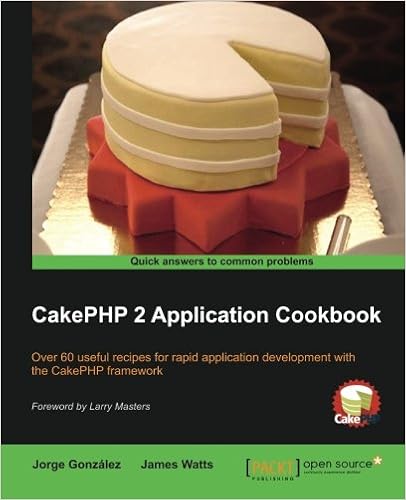
  • CakePHP 2 Application Cookbook
  • Beginning CakePHP
  • CakePHP Application Development
  • Learn Cakephp
  • Instant CakePHP Starter
  • Practical CakePHP Projects


How to Validation Package in CakePHP

Validation Package in CakePHP

Often while making websites we need to validate certain things before processing data further. CakePHP provides validation package to build validators that can validate data with ease.

Validation Methods

CakePHP provides various validation methods in the Validation Class. Some of the most popular of them are listed below.

Syntax Add (string $field, array|string $name, array|CakeValidationValidationRule $rule [] )
Parameters
  • The name of the field from which the rule will be added.
  • The alias for a single rule or multiple rules array.
  • The rule to add
Returns $this
Description Adds a new rule to a field’s rule set. If second argument is an array, then rules list for the field will be replaced with second argument and third argument will be ignored.
Syntax allowEmpty (string $field, boolean|string|callable $when true, string|null $message null)
Parameters
  • The name of the field.
  • Indicates when the field is allowed to be empty. Valid values are true (always), ‘create’, ‘update’. If a callable is passed, then the field will be left empty only when the callback returns true.
  • The message to show if the field is not.
Returns $this
Description Allows a field to be empty.
Syntax alphanumeric (string $field, string|null $message null, string|callable|null $when null)
Parameters
  • The field you want to apply the rule to.
  • The error message when the rule fails.
  • Either ‘create’ or ‘update’ or a callable that returns true when the validation rule should be applied.
Returns $this
Description Add an alphanumeric rule to a field.
Syntax creditCard (string $field, string $type ‘all’, string|null $message null, string|callable|null $when null)
Parameters
  • The field you want to apply the rule to.
  • The type of cards you want to allow. Defaults to ‘all’. You can also supply an array of accepted card types, for example, [‘mastercard’, ‘visa’, ‘amex’].
  • The error message when the rule fails.
  • Either ‘create’ or ‘update’ or a callable that returns true when the validation rule should be applied.
Returns $this
Description Add a credit card rule to a field.
Syntax Email (string $field, boolean $checkMX false, string|null $message null, string|callable|null $when null)
Parameters
  • The field you want to apply the rule to.
  • Whether or not to check the MX records.
  • The error message when the rule fails.
  • Either ‘create’ or ‘update’ or a callable that returns true when the validation rule should be applied.
Returns $this
Description Add an email validation rule to a field.
Syntax maxLength (string $field, integer $max, string|null $message null, string|callable|null $when null)
Parameters
  • The field you want to apply the rule to.
  • The maximum length allowed.
  • The error message when the rule fails.
  • Either ‘create’ or ‘update’ or a callable that returns true when the validation rule should be applied.
Returns $this
Description Add a string length validation rule to a field.
Syntax minLength (string $field, integer $min, string|null $message null, string|callable|null $when null)
Parameters
  • The field you want to apply the rule to.
  • The maximum length allowed.
  • The error message when the rule fails.
  • Either ‘create’ or ‘update’ or a callable that returns true when the validation rule should be applied.
Returns $this
Description Add a string length validation rule to a field.
Syntax notBlank (string $field, string|null $message null, string|callable|null $when null)
Parameters
  • The field you want to apply the rule to.
  • The error message when the rule fails.
  • Either ‘create’ or ‘update’ or a callable that returns true when the validation rule should be applied.
Returns $this
Description Add a notBlank rule to a field.

Tutorials on Form Handling, Building HTML in CakePHP

Tutorials on Form Handling, Building HTML in CakePHP

Form is a simple input taker in applications, defined inputs by users need authentication and formatting to be stored. Cakephp makes easy FormHelper to work with form. It is quick and will streamline validation, re-population and layout.

CakePHP – Form Handling

CakePHP provides various in built tags to handle HTML forms easily and securely. Like many other PHP frameworks, major elements of HTML are also generated using CakePHP. Following are the various functions used to generate HTML elements.

The following functions are used to generate select options.

Syntax _selectOptions( array $elements array(), array $parents array(), boolean $showParents null, array $attributes array() )
Parameters
  • Elements to format
  • Parents for OPTGROUP
  • Whether to show parents
  • HTML attributes
Returns array
Description Returns an array of formatted OPTION/OPTGROUP elements

The following functions are used to generate HTML select element.

Syntax select( string $fieldName, array $options array(), array $attributes array() )
Parameters Name attribute of the SELECT

Array of the OPTION elements (as ‘value’=>’Text’ pairs) to be used in the SELECT element

The HTML attributes of the select element.

Returns Formatted SELECT element
Description Returns a formatted SELECT element

The following functions are used to generate button on HTML page.

Syntax Button (string $title, array $options array() )
Parameters
  • The button’s caption. Not automatically HTML encoded.
  • Array of options and HTML attributes.
Returns HTML button tag.
Description Creates a <button> tag. The type attribute defaults to type=”submit“. You can change it to a different value by using $options[‘type’].

The following functions are used to generate checkbox on HTML page.

Syntax Checkbox (string $fieldName, array $options array() )
Parameters
  • Name of a field, like this “Modelname.fieldname”
  • Array of HTML attributes. Possible options are value, checked, hiddenField, disabled, default.
Returns An HTML text input element.
Description Creates a checkbox input widget.

The following functions are used to create form on HTML page.

Syntax create( mixed $model null, array $options array() )
Parameters
  • The model name for which the form is being defined. Should include the plugin name for plugin models. e.g. ContactManager.Contact. If an array is passed and $options argument is empty, the array will be used as options. If false no model is used.
  • An array of html attributes and options. Possible options are type, action, url, default, onsubmit, inputDefaults, encoding
Returns A formatted opening FORM tag.
Description Returns an HTML FORM element.

The following functions are used to provide file uploading functionality on HTML page.

Syntax file(string $fieldName, array $options array() )
Parameters
  • Name of a field, in the form “Modelname.fieldname”
  • Array of HTML attributes.
Returns A generated file input.
Description Creates file input widget.

The following functions are used to create hidden element on HTML page.

Syntax hidden( string $fieldName, array $options array() )
Parameters
  • Name of a field, in the form of “Modelname.fieldname”
  • Array of HTML attributes.
Returns A generated hidden input
Description Creates a hidden input field

The following functions are used to generate input element on HTML page.

Syntax Input (string $fieldName, array $options array() )
Parameters
  • This should be “Modelname.fieldname”
  • Each type of input takes different options
Returns Completed form widget
Description Generates a form input element complete with label and wrapper div

The following functions are used to generate radio button on HTML page.

Syntax Radio (string $fieldName, array $options array(), array $attributesarray() )
Parameters
  • Name of a field, like this “Modelname.fieldname”
  • Radio button options array.
  • Array of HTML attributes, and special attributes above.
Returns Completed radio widget set
Description Creates a set of radio widgets. Will create a legend and fieldset by default. Use $options to control this.

The following functions are used to generate submit button on HTML page.

Syntax Submit (string $caption null, array $options array() )
Parameters
  • The label appearing on the button OR if string contains :// or the extension .jpg, .jpe, .jpeg, .gif, .png use an image if the extension exists, AND the first character is /, image is relative to webroot, OR if the first character is not /, image is relative to webroot/img.
  • Array of options. Possible options are div, before, after, type etc.
Returns An HTML submit button
Description Creates a submit button element. This method will generate <input/> elements that can be used to submit, and reset forms by using $options. Image submits can be created by supplying an image path for $caption.

The following functions are used to generate textarea element on HTML page.

Syntax Textarea (string $fieldName, array $options array() )
Parameters
  • Name of a field, in the form “Modelname.fieldname”
  • Array of HTML attributes, special option like escape
Returns A generated HTML text input element
Description Creates a textarea widget

Example

Make changes in the config/routes.php file as shown in the following code.

config/routes.php

<?php use CakeCorePlugin; use CakeRoutingRouteBuilder; use CakeRoutingRouter; Router::defaultRouteClass(‘DashedRoute’); Router::scope(‘/’, function (RouteBuilder $routes) { $routes->connect(‘register’,[‘controller’=>’Registrations’,’action’=>’index’]); $routes->fallbacks(‘DashedRoute’); }); Plugin::routes();

Create a RegistrationController.php file at src/Controller/RegistrationController.php. Copy the following code in the controller file.

src/Controller/RegistrationController.php

<?php namespace AppController; use AppControllerAppController; class RegistrationsController extends AppController{ public function index(){ $country = array(‘India’,’United State of America’,’United Kingdom’); $this->set(‘country’,$country); $gender = array(‘Male’,’Female’); $this->set(‘gender’,$gender); } } ?>

Create a directory Registrations at src/Template and under that directory create a View file called index.ctp. Copy the following code in that file.

src/Template/Registrations/index.ctp

<?php echo $this->Form->create(“Registrations”,array(‘url’=>’/register’)); echo $this->Form->input(‘username’); echo $this->Form->input(‘password’); echo $this->Form->input(‘password’); echo ‘<label for=”country”>Country</label>’; echo $this->Form->select(‘country’,$country); echo ‘<label for=”gender”>Gender</label>’; echo $this->Form->radio(‘gender’,$gender); echo ‘<label for=”address”>Address</label>’; echo $this->Form->textarea(‘address’); echo $this->Form->file(‘profilepic’); echo ‘

‘.$this->Form->checkbox(‘terms’). ‘

‘; echo $this->Form->button(‘Submit’); echo $this->Form->end(); ?>

Execute the above example by visiting the following URL − http://localhost:85/CakePHP/register

Output